
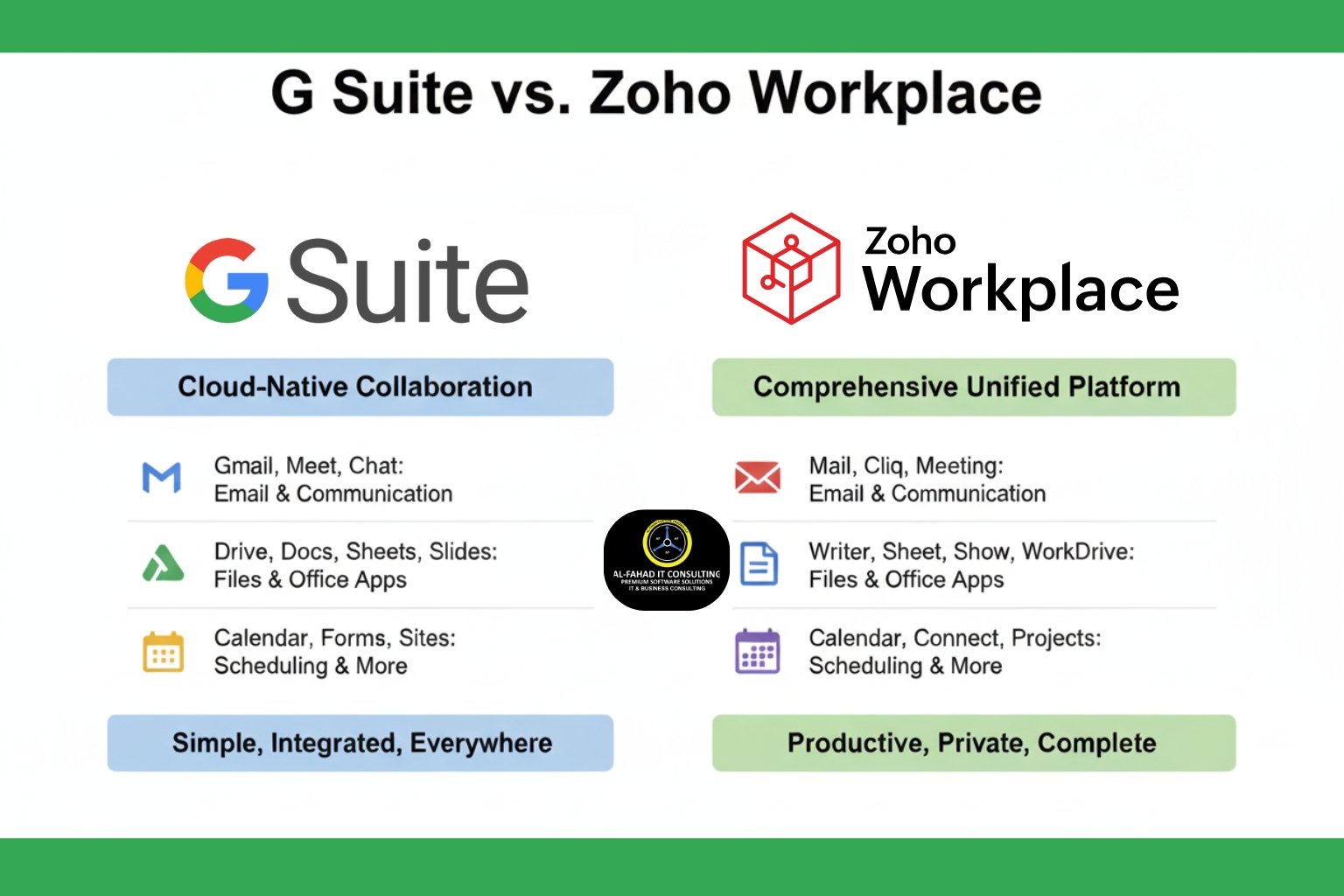
Organizations need cloud-based productivity suites that enable seamless collaboration, communication, and efficient workflow management. Two of the most popular options are G Suite (now Google Workspace) and Zoho Workplace. While both promise robust productivity and collaboration tools, understanding their differences is key to choosing the right suite for your team.
Understanding G Suite vs Zoho Workplace
Google Workspace, formerly G Suite, is widely known for its clean, intuitive interface and cloud-based productivity tools. It integrates core business apps like Gmail, Google Docs, Sheets, Slides, Calendar, Drive, and Google Meet to help teams work together in real time. Its appeal lies in familiarity; many employees are already accustomed to Google’s ecosystem, making onboarding smooth.
Zoho Workplace, while less of a household name, provides a comprehensive suite of applications designed to centralize communication, collaboration, and document management. Zoho’s ecosystem includes Zoho Mail, Writer, Sheet, Show, WorkDrive, Cliq, Meeting, Connect, and more. Its strength lies in Zoho’s native integration across business apps, allowing teams to work efficiently without relying on third-party tools.
Both platforms support cloud access, offline capabilities, and collaboration tools, but the approach each takes to workflow, integration, and team productivity differs.
G Suite vs Zoho Workplace: Collaboration and User Interface
The following section will break down the differences between G Suite vs. Zoho Workplace.
Google Workspace UAE
Google Workspace prioritizes simplicity and familiarity. Its clean interface allows teams to:
- Share and edit documents in real time
- Collaborate via comments and built-in chat
- Integrate Google Calendar and Gmail for streamlined scheduling and communication
- Use Google Meet for video conferencing with encryption and calendar integration
This simplicity works well for organizations seeking a straightforward collaboration platform without extensive customization needs.
Zoho Workplace UAE
Zoho Workplace focuses on deep integration and task-oriented collaboration. Features include:
- Real-time document collaboration in Zoho Writer with in-document chat, tagging, and task assignments
- Zoho Cliq for instant messaging, audio, and video calls, fully integrated with other apps
- Zoho Connect for creating internal social intranets and private channels for team collaboration
- Zoho WorkDrive for organized file storage and sharing with groups or individuals
Zoho’s cloud solution is designed to reduce app fragmentation, allowing teams to complete multiple tasks, project management, communication, document creation, and CRM updates within a single environment.
G Suite vs Zoho Workplace: Document Management and File Storage
Google Workspace Saudi Arabia
Google Docs, Sheets, and Slides allow teams to:
- Collaborate simultaneously on files
- Track revisions and comments
- Store and share documents via Google Drive
Drive integrates seamlessly with other Google apps but may require third-party tools for deeper workflow automation or CRM integration.
Zoho Workplace Saudi Arabia
Zoho Writer, Sheet, and Show provide:
- Real-time collaboration with tagging, task assignment, and workflow automation
- WorkDrive for structured file management and sharing
- Centralized storage across Zoho apps for consistent access and retrieval
Zoho’s native integration with Zoho CRM, Zoho Desk, Zoho Projects, and Zoho Analytics ensures that files, tasks, and communications are synchronized across teams, creating a cohesive working environment.
G Suite vs Zoho Workplace: Integration and Workflow Efficiency
Integration is a major differentiator between the two suites.
- Google Workspace offers smooth integration within Google apps, but often requires third-party tools to connect to CRM, helpdesk, or project management systems.
- Zoho Workplace provides a fully integrated ecosystem. Teams can:
- Update deals in Zoho CRM
- Assign support tickets in Zoho Desk
- Manage projects in Zoho Projects
- Collaborate on documents in Zoho Writer
This unified approach reduces the need to switch between apps, enhancing efficiency for growing teams and businesses that rely on interconnected workflows. Moreover, Zoho API integration allows third-party apps to seamlessly integrate, including WhatsApp, Shopify, WooCommerce, Zapier, Stripe, and more.
G Suite vs Zoho Workplace: Security and Privacy
Both platforms prioritize security:
- Two-factor authentication for account access
- Encryption at rest and in transit for emails and file storage
- Compliance with global security standards
However, privacy practices differ:
- Google’s privacy policy has been criticized for data tracking and collection.
- Zoho emphasizes transparent data policies and has not sold user data for advertising purposes.
For organizations that handle sensitive client information, Zoho’s approach to privacy may provide additional peace of mind.
G Suite vs Zoho Workplace: Collaboration Tools beyond Documents
Both suites offer tools beyond email and documents:
Google Workspace Dubai
- Google Chat: Team messaging with integration into Docs, Sheets, and Slides
- Google Meet: Enterprise-grade video conferencing
- Google Sites: Simple intranet creation
- Cloud Search: Enterprise-wide content search
Zoho Workplace Dubai
- Zoho Cliq: Instant messaging with task and file management
- Zoho Meeting: Web conferencing and webinars
- Zoho Connect: Social intranet for teams to share ideas, files, and discussions
Zoho focuses on internal collaboration hubs, helping teams stay connected across departments and projects.
G Suite vs Zoho Workplace: Scalability for Growing Businesses
When your business grows, your office suite should scale with you:
- Google Workspace is ideal for larger organizations, offering advanced security, extensive collaboration features, and broad integration with Google Apps.
- Zoho Workplace offers flexible, integrated plans suitable for small to mid-sized businesses and startups. Its ecosystem allows teams to expand workflows without fragmentation, supporting consistent growth and adaptation.
Zoho Workplace vs G Suite: Which Suite Fits Your Business?
Choose Google Workspace Riyadh if you:
- Prefer a familiar interface for employees already accustomed to Gmail and Google Docs
- Operate larger teams with standard collaboration workflows
- Require extensive storage and enterprise-grade video conferencing
Choose Zoho Workplace Riyadh if you:
- Need a fully integrated platform connecting email, CRM, project management, and collaboration tools
- Value data privacy and clear security policies
- Want internal social intranet capabilities and task-driven collaboration
- Need an office suite that adapts to small or mid-sized business workflows
Why Zoho Workplace Outshines G Suite?
While G Suite provides familiar tools like Gmail, Docs, and Drive, Zoho Workplace offers a fully integrated suite of apps designed to work seamlessly together: Top 5 Reasons Businesses in GCC Prefer Zoho Workplace
- Z.oho Mail & Calendar: Professional email hosting with integrated tasks, notes, and contacts.
- Zoho Writer, Sheet & Show: Powerful cloud-based document, spreadsheet, and presentation tools for real-time collaboration.
- Zoho Cliq & Meeting: Instant messaging, audio/video calls, and web conferencing for efficient team communication.
- Zoho WorkDrive: Centralized file management with advanced sharing and collaboration capabilities.
- Zoho Connect: A social intranet to facilitate knowledge sharing and internal collaboration across teams.
With Zoho, businesses enjoy native integration across Zoho CRM, Zoho Desk, Zoho Projects, and other Zoho applications, reducing app sprawl and boosting operational efficiency.
Why Businesses Partner with Al Fahad IT Consultant
Migrating to Zoho Workplace is more than just a software switch; it requires expert implementation, training, and ongoing support. As a Premium Zoho Partner with 10+ years of regional experience, Al Fahad IT Consultant ensures your business gets maximum value from Zoho Workplace
Choosing Zoho is only the first step; expert Zoho Implementation and Zoho Applications Support make all the difference. Al Fahad IT Consultant provides:
- Customized Zoho Implementation: Align Zoho apps with your business processes for seamless adoption.
- Integrated Workflows across Zoho Apps: Connect Zoho Mail, Zoho CRM, Zoho Desk, and Zoho Projects into a unified productivity ecosystem.
- Hands-On Training & Support: Ensure your team quickly adopts Zoho Workplace and other apps for maximum impact with Zoho training services.
- Data Security & Compliance: Protect sensitive information using Zoho’s built-in security features and best practices.
By partnering with Al Fahad IT Consulting, organizations in the UAE, KSA, and Bahrain can confidently transition from fragmented tools or G Suite to a cohesive, fully integrated Zoho ecosystem.
Conclusion
Both G Suite (Google Workspace) vs. Zoho Workplace offer powerful cloud-based office suites designed to streamline collaboration and productivity. Google Workspace excels in familiarity and enterprise support, while Zoho Workplace shines in integration, workflow efficiency, and privacy.
For businesses seeking an all-in-one, cohesive platform that grows with their team, reduces app fragmentation, and supports internal collaboration, the Zoho cloud solution emerges as a strong choice. That includes Zoho One – a unified business suite consisting of 50+ applications, Zoho Recruit, which provides easy recruitment solutions for businesses, Zoho Creator that creates custom applications based on low-code development, and Zoho Books for end-to-end finance management of your bookkeeping and accounts.
Check out our popular guides in GCC:
Still unsure? Check out the top 5 reasons if your business needs a Zoho consulting partner today.
Ready to unlock the full potential of Zoho Workplace for your business?
Contact Al Fahad IT Consultant today and let an expert end-to-end Zoho implementation in the UAE, Saudi Arabia & Bahrain create a solution that grows with your organization.
Stay connected to our blogs for more information on Zoho applications.


Leave a Reply